Frontend Overview
The Next.js 16 frontend: 26 routes, the state and data-fetching split, keyboard shortcuts and command palette, and the UX patterns every page follows.
Tech Stack
| Library | Purpose |
|---|---|
| Next.js 16 | App Router, RSC, file-based routing |
| React 19 | UI rendering |
| shadcn/ui | Component library (Radix + Tailwind) |
| Tailwind CSS 4 | Utility-first styling with OKLCH color tokens |
| Zustand | Client state (auth, org/team selection) |
| TanStack Query v5 | Server state, caching, optimistic updates |
| Recharts 3 | Dashboard and analytics charts |
| Sonner | Toast notifications with severity icons |
| next-intl 4 | Internationalization scaffolding (English is the only bundled locale) |
Pages
| Route | Description |
|---|---|
/ | Landing page for signed-out visitors; inbox creation hero + active inbox grid once signed in |
/try | Public demo inbox — no account required, gated on the demo_enabled platform setting |
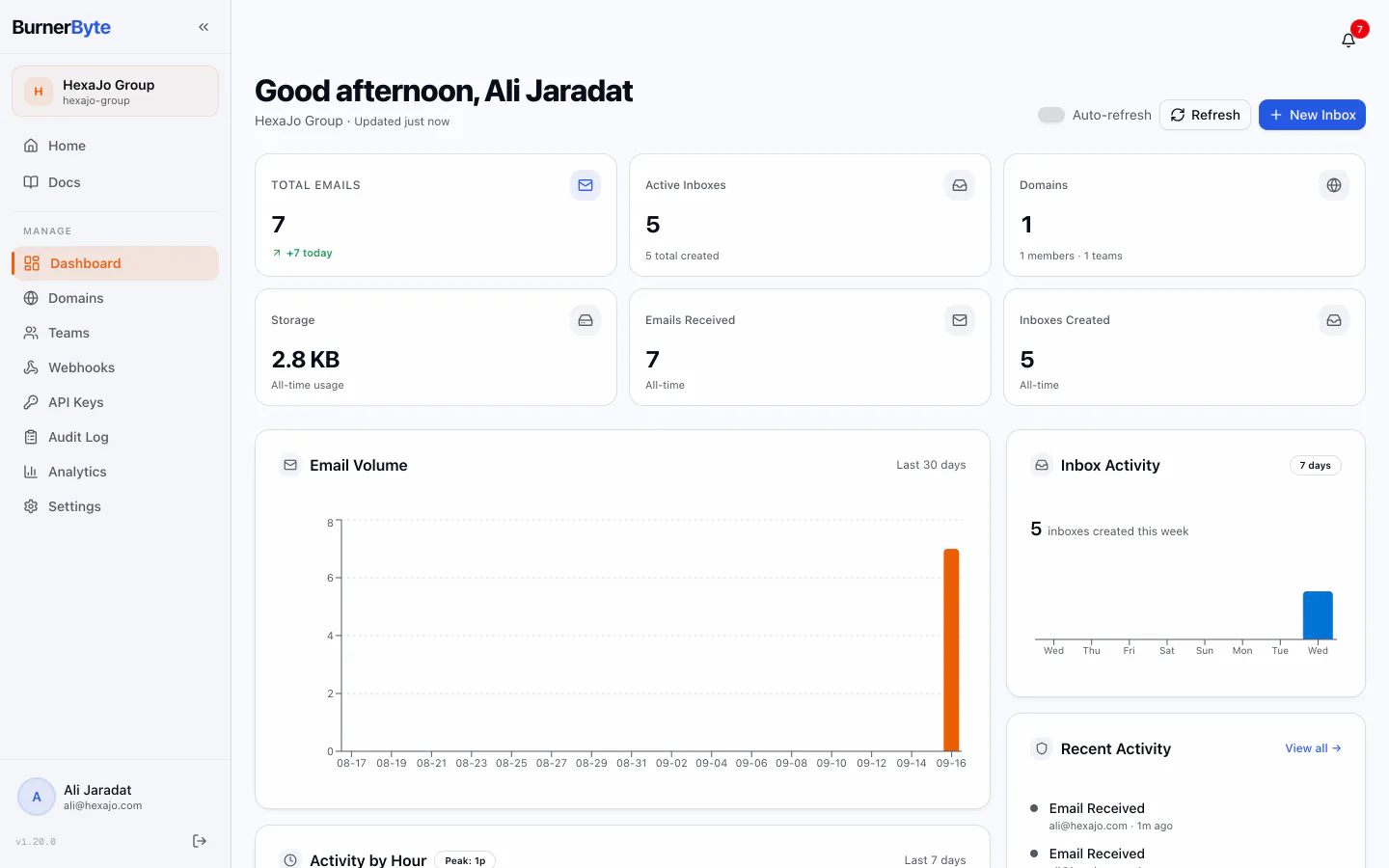
/dashboard | Admin dashboard — stats, charts, activity, quick links |
/inboxes | Redirect to / |
/domains | Domain management with DNS verification |
/domains/[domainId] | Domain detail with team assignments |
/teams | Team list with member/domain/inbox counts |
/webhooks | Webhook management with delivery logs |
/api-keys | Scoped API key management with permission picker |
/audit | Timeline audit log with filters and CSV export |
/analytics | Org/team analytics with charts and insights |
/settings | Org settings, users, roles, SSO, system config |
/admin | Redirect to /settings |
/profile | User profile and connected accounts |
/profile/sessions | Active session list with per-session revoke |
/profile/delete | Account deletion flow |
/inboxes/[id] | Inbox detail with real-time email list (WebSocket) |
/email/[emailId] | Standalone email detail with headers and spam score |
/login | Sign in with password or SSO |
/register | Account creation with password strength |
/forgot-password | Password reset request |
/reset-password | Password reset with emailed token |
/verify-email | Email address verification |
/invite | Organization invitation acceptance |
/setup | First-run setup wizard |
/onboarding | Mandatory org-creation flow — forced redirect for users without an org (system admins exempt) |
Keyboard Shortcuts
| Key | Action | Scope |
|---|---|---|
⌘K / Ctrl+K | Open command palette | Global |
? | Show keyboard shortcuts help | Global (outside inputs) |
n | Create a new inbox | Home (/), outside inputs |
j / ↓ | Next email in list | Inbox detail (/inboxes/[id]) |
k / ↑ | Previous email in list | Inbox detail (/inboxes/[id]) |
Esc | Deselect the current email | Inbox detail (/inboxes/[id]) |
Dialogs close on Esc via the Radix primitive, not a registered shortcut.
UX Patterns
Every data page consistently uses:
- Loading skeletons — Structural placeholders matching the final layout
- Error states —
ErrorStatecomponent with contextual message and retry button - Empty states —
EmptyStatewith a concise message and an optional primary action - No-org state —
NoOrgStateon org-scoped pages when the user has no organization (CTA to create one or request an invite) - No-team state —
NoTeamStateon team-scoped pages (webhooks, API keys) when the org has no teams yet - Forced onboarding —
useOrgBootstraphook redirects zero-org users to/onboardingserver-authoritatively (system admins exempt) - Confirmation dialogs —
ConfirmDialogfor all destructive actions - Pagination —
Paginationcomponent with page numbers - Toast notifications — Sonner with severity icons (success, error, warning, info)
- Optimistic updates — TanStack Query mutations with rollback on error
- Pull-to-refresh — Touch gesture on the home inbox grid (
/)
Key Components
| Component | Purpose |
|---|---|
AppShell | Layout wrapper with sidebar (admin) or top nav (member) |
Sidebar | Collapsible navigation with Lucide icons and org card |
CommandPalette | ⌘K quick navigation with search |
NotificationCenter | Real-time notification popover with grouping |
LastUpdated | Relative time indicator for data freshness |
ProviderIcon | SSO provider logos (GitHub, Google, Azure, Okta) |
Logo | Consistent branding component with size variants |
PageProgress | Route-change progress bar |
OfflineBanner | Network status indicator |
SkipToContent | Accessibility skip link |
State Management
Zustand Stores
auth-store— User session, login/logout, token refreshorg-store— Current org, teams, role, permissions
TanStack Query
Server state is managed with TanStack Query v5. Key patterns:
- Stale times — 30s default, 60s for notifications, 5min for platform settings
- Refetch on window focus — Enabled globally for fresh data
- Optimistic updates — Webhooks and API keys use
onMutatemutations with rollback on error; the notification center writes the cache directly withsetQueryData - Cache invalidation — WebSocket messages trigger targeted query invalidation
Command Palette
Press ⌘K to open the command palette for quick navigation. Features:
- All sidebar routes with matching Lucide icons
- Action commands (Create Inbox, Sign Out)
- Recent actions — last 5 executed commands shown when query is empty (persisted to localStorage)
- Grouped sections (Recent, Navigation, Actions)
- Fuzzy search with keyboard navigation (↑/↓/Enter)
Mobile Support
- Sidebar collapses into a slide-out sheet on screens below
mdbreakpoint - Responsive grid breakpoints (
grid-cols-1 sm:grid-cols-2 lg:grid-cols-3) - Table overflow wrappers with horizontal scroll
- Responsive column hiding on narrow screens
- Pull-to-refresh on touch devices (home page only)
Internationalization
Strings go through next-intl, but only one locale ships today:
web/src/i18n/request.tsdeclareslocales = ["en"],defaultLocale = "en", and an emptyrtlLocaleslist.web/src/i18n/messages/contains a singleen.json, imported statically.- There is no
middleware.ts, so there is no locale routing, no/[locale]URL prefix, and noAccept-Languagenegotiation. Adding a locale means adding a messages file, extendinglocales, and introducing routing middleware.